

Overview
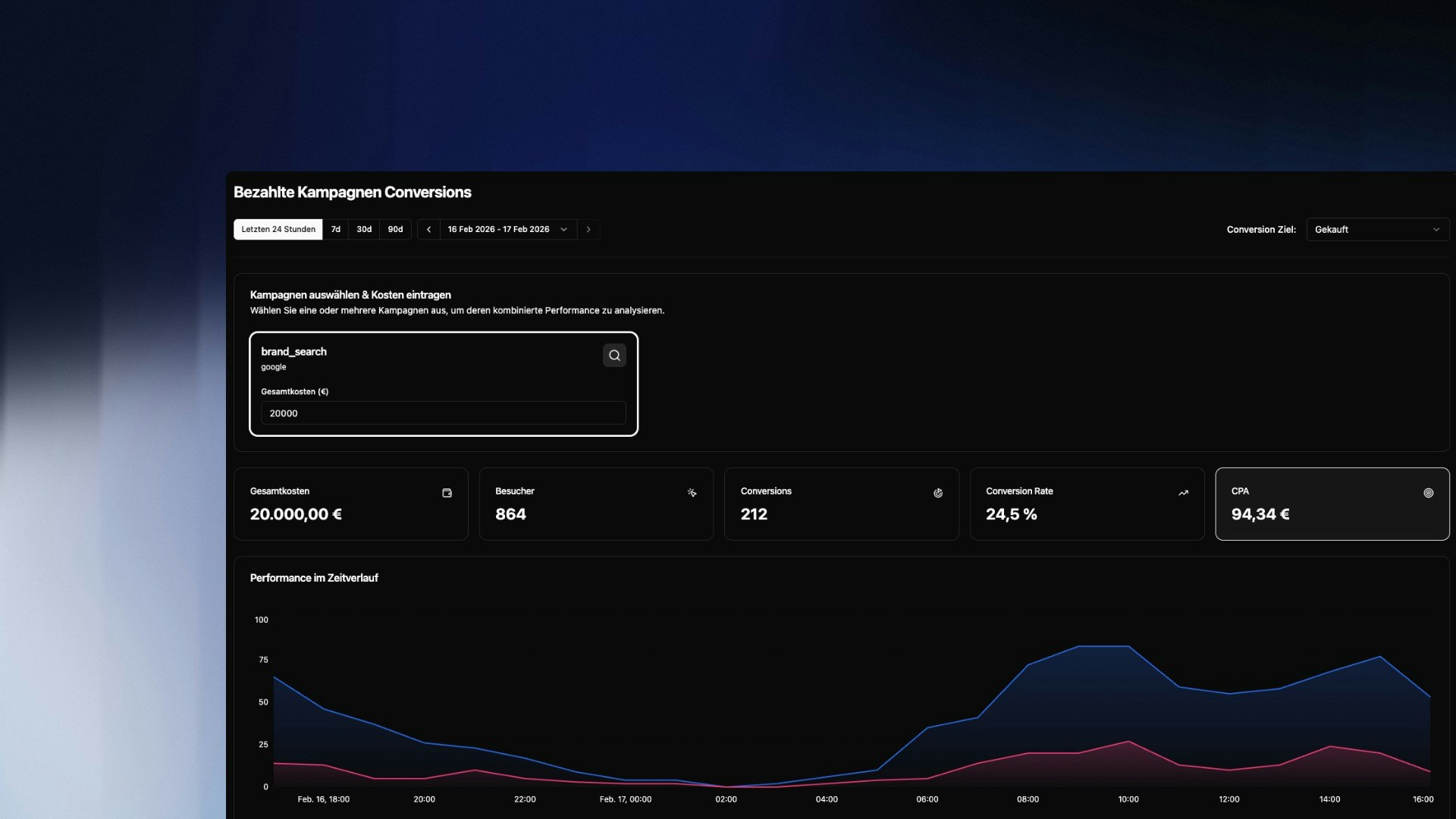
Paid Campaign Conversions connects your UTM campaign data with a defined conversion goal. Enter the total cost of a campaign and instantly see the key performance metrics: how many visitors the campaign brought, how many converted, and what each conversion cost you.Select Campaign & Enter Costs
Select one or more campaigns from your UTM campaigns at the top of the page. For each campaign, enter the total cost in euros. You can select multiple campaigns simultaneously to analyze their combined performance – useful when you’ve run a campaign across multiple channels.Costs are entered manually and are not automatically synced from an ad platform. Enter the total amount you were charged for the selected time period.Select your Conversion Goal in the top right. Only filters categorized as
Conversion Goal will appear here. If your goal is missing, set it up first in the User Groups configuration.
The Metrics
CPA is your most important metric. Compare it to your average customer lifetime value (LTV) to assess whether your campaign is profitable.
Performance Over Time
The chart shows two lines:- Campaign Visitors (blue) — all sessions from this campaign
- Visitors with Conversion (pink) — only the sessions that reached the goal
Top Converting Pages
Shows which pages were visited most frequently during a conversion session. These are not necessarily the last pages before conversion, but all pages that converters visited along the way. Use this list to understand which content conversion-relevant visitors consume.Top Exit Pages
Shows on which pages campaign visitors left the website without converting. A high exit rate on/pricing for example is a direct signal for optimization needed on that page.
Combine Top Exit Pages with Path Analysis to see what users did on these pages before dropping off.