

1
Copy Tracking Script
Copy your tracking script from the bchic Dashboard.If you have just created your site, the code is displayed directly. Alternatively, you can find it at any time in the Settings under your website.The code looks something like this (make sure your Data-Website-ID is included):
2
Paste into Framer
Now go to your Framer project: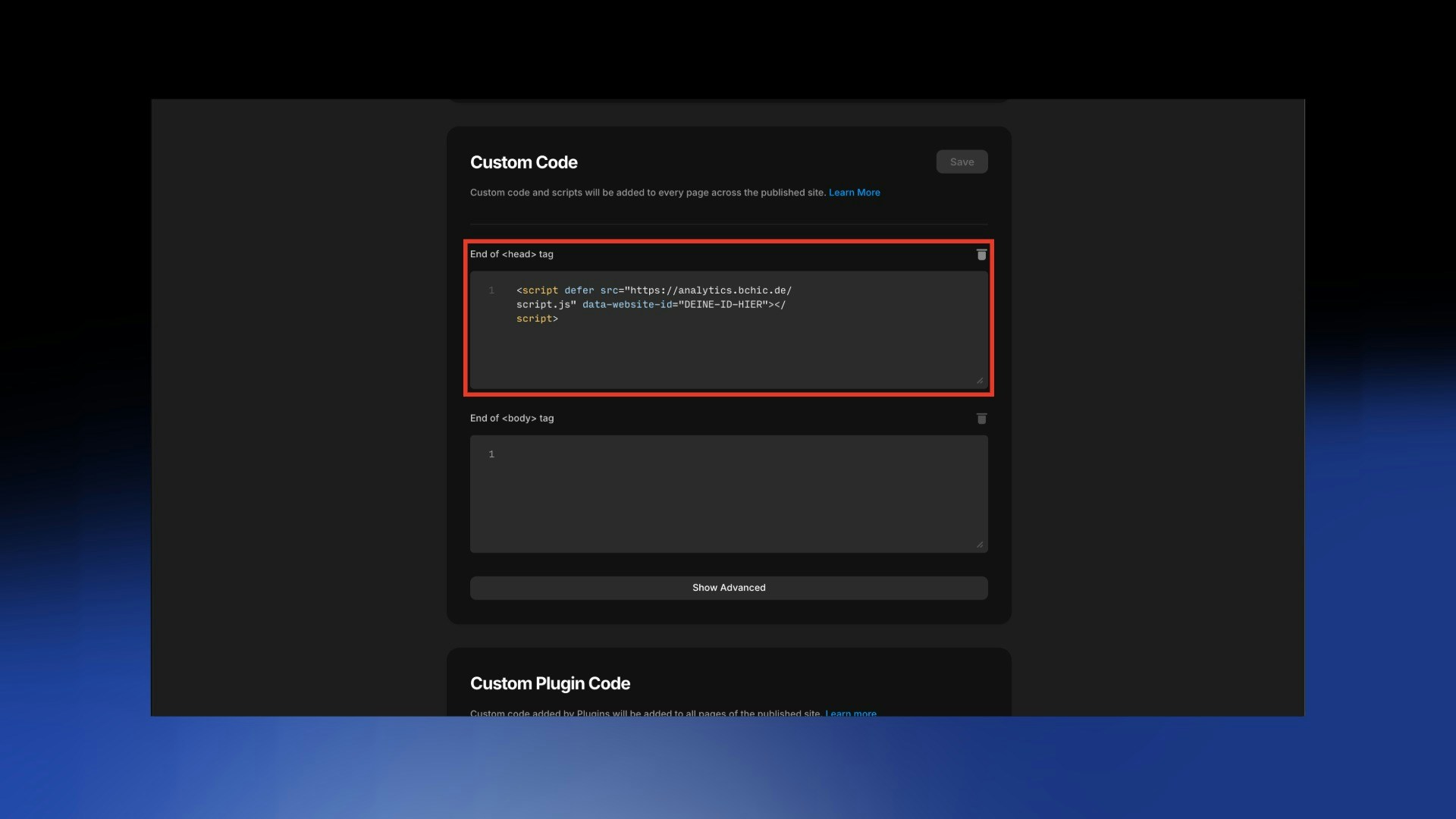
- Click on the gear icon (Settings) or on the name of your project in the top bar.
- Select General under “Site Settings” in the left menu.
- Scroll down to the Custom Code section.
- Find the text field Start of <head> tag.
3
Publish
To make the code active, you must push your changes live:
- Click the blue Publish button in the top right.
- Wait briefly until the site has updated.